
Intro: Zippers, buttons, lace and elastic disappear fast. Sewing Project Manager gives notions and trims their own records, so you can see what you have, get a warning before you run out, and know where it is.
Notions and trims are separate lists
The menu has Notions and Trims as two separate sections. A notion is a packaged item such as a zipper, button or thread. A trim is a piece such as lace, ribbon or elastic that is measured by length. Pick the one that fits what you are logging.
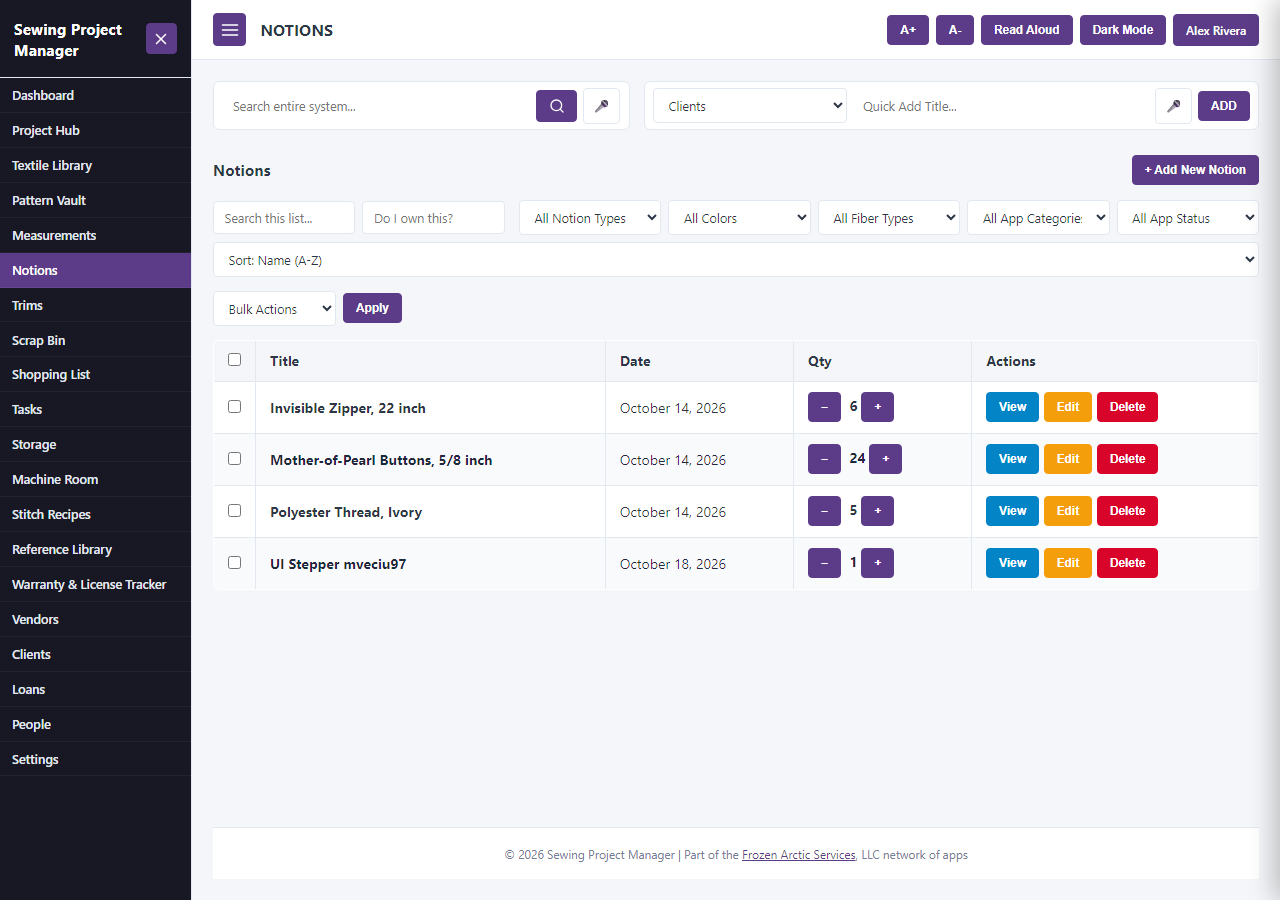
1. Add the item
Select + Add New. Give a notion a Notion Title and a Notion Type. For a trim, enter a Trim Title and choose a Trim Type, such as lace or ribbon. Add the Color and Fiber Content if you know them.
2. Record what you have
For a notion, enter the Quantity In Stock and choose the Unit Type, such as Each / Piece, Spools or Cards. For a trim, enter the Quantity Remaining. If you only know roughly, set the trim’s Vague Quantity Level to Full Spool / Card, Partial, Remnant or Scrap.
3. Set a warning level
Enter the amount at which you want a warning: the Reorder Threshold on a notion, or the Low Stock Threshold on a trim. When the quantity drops to or below it, the item is flagged as low stock.
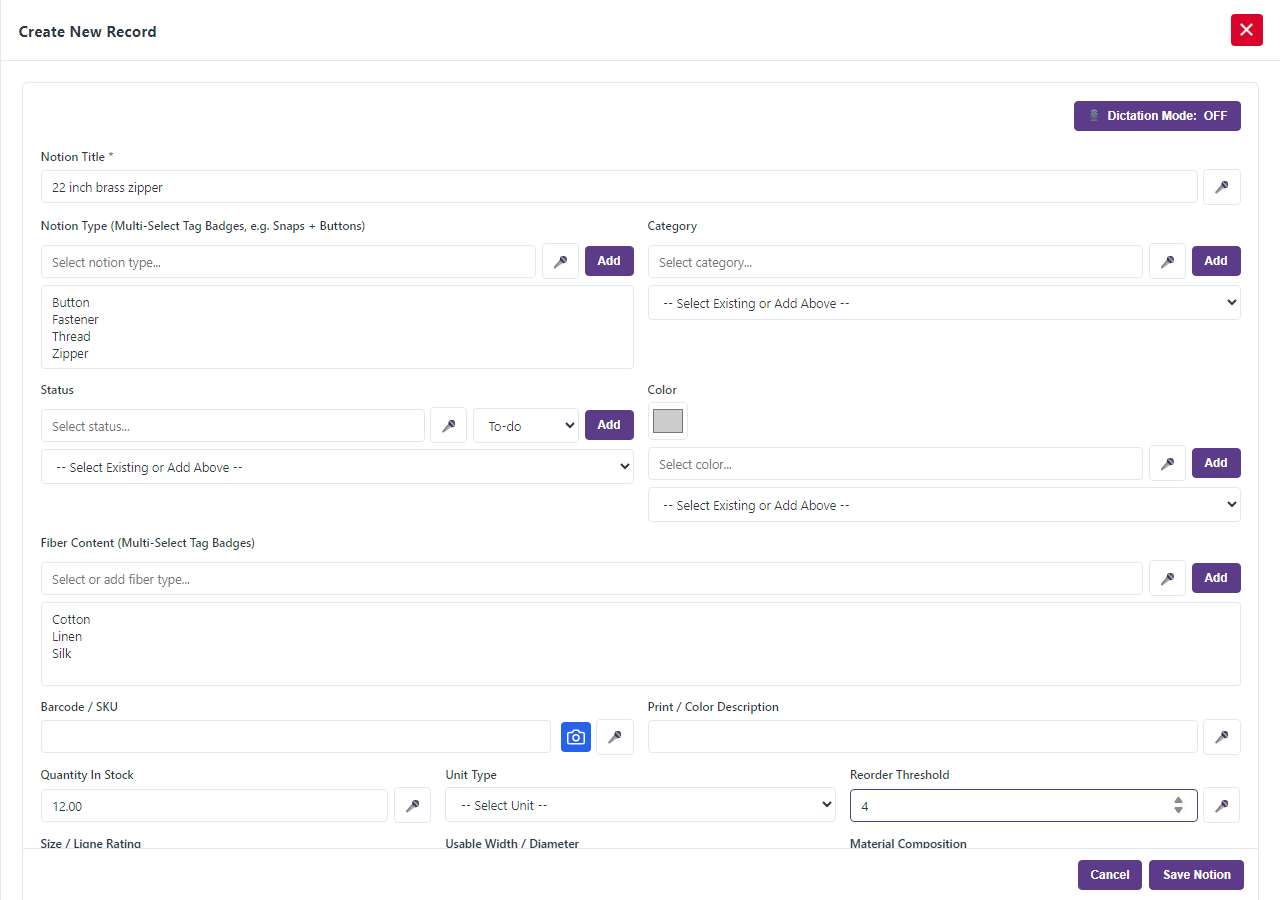
4. Record price and vendor
Fill in the Unit Price ($) on a notion or the Price per Unit ($) on a trim, and the Vendor(s), so you know what it cost to buy again.
5. Say where it lives
Choose a Storage Location. You can record how much is in each place if you keep the item in more than one.
6. Link it to a project
In Project Hub, choose the notion in the project’s Notions field, or the trim in its Trims field. A Quantity Needed box appears for each one. While the project is In Progress that quantity is set aside, and when the project is Completed it comes out of your stock.
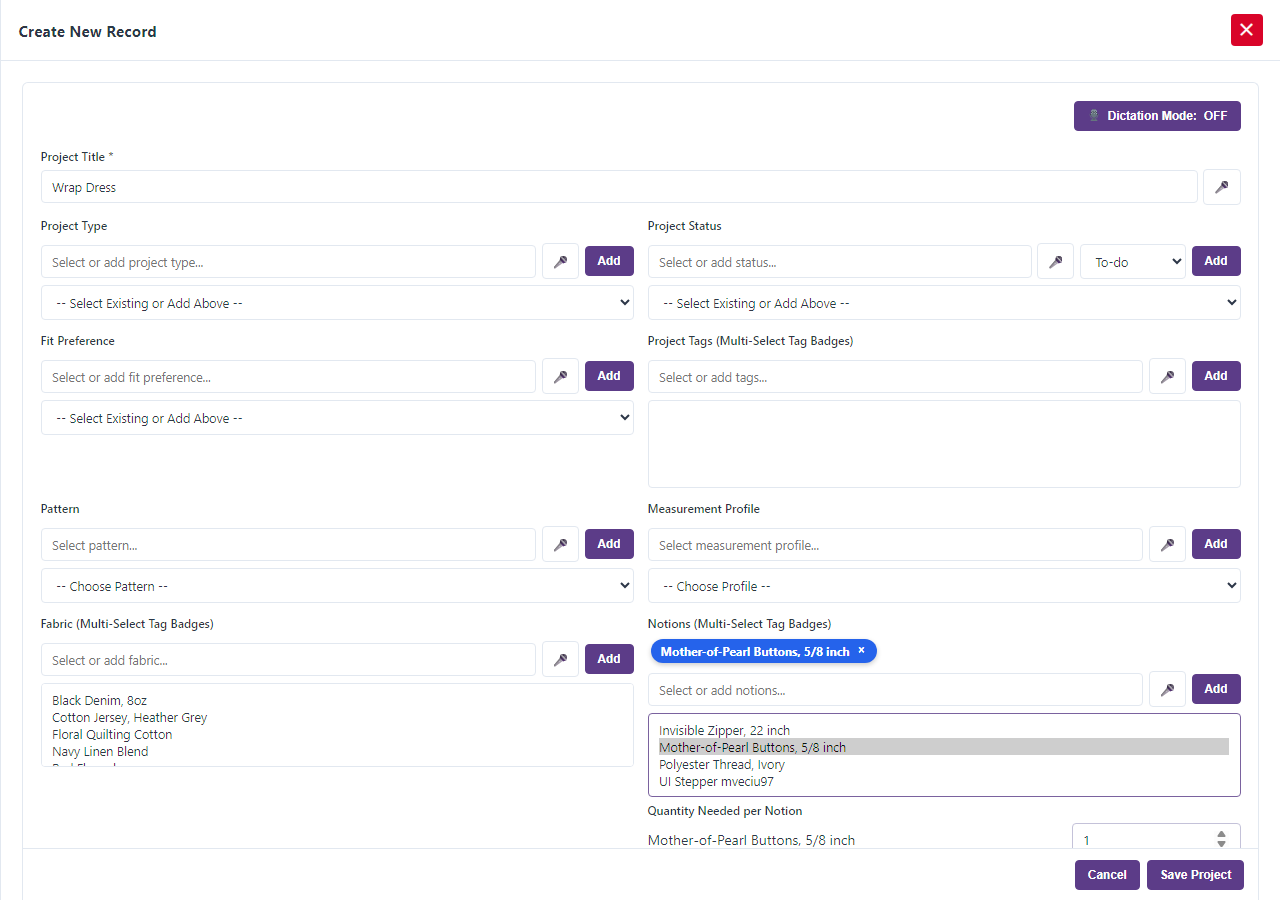
7. Keep the count current
When you use some, open the record and update the quantity. Update it after a shopping trip too. The low stock warning and your shopping list stay accurate when the count does.
One more thing: Sewing Project Manager at Frozen Arctic Apps keeps notions and trims counted, so you do not find out you are out of zippers on a Sunday night.